CONNECT CHATGPT
ChatGPT reads your training. Tally logs every set.
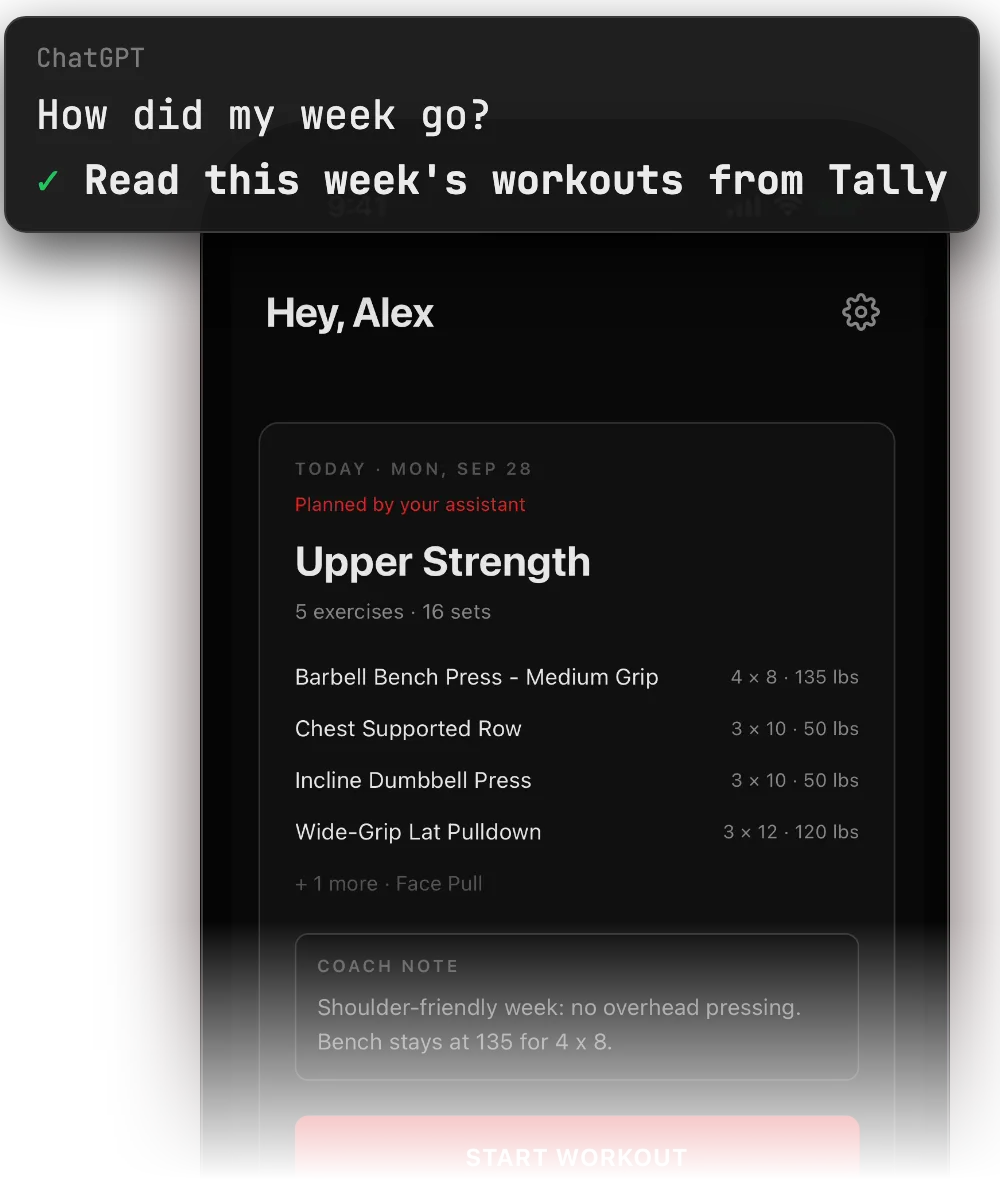
ChatGPT reads your training history. On Business, Enterprise and Edu plans, it can also write planned workouts and log, change or delete finished workouts when you ask. You can undo each change for 7 days.
You are on a phone or tablet. Setting up ChatGPT needs a computer, so do this in two parts.
Get Tally now
Download on the App StoreConnect later on your computer
Opens the share sheet: AirDrop, Messages or Notes.
See the server URL
https://mcp.tallyworkout.app/api/mcpUse Claude on your phone instead? Connect Claude from its directory. No computer needed.
BEFORE YOU START
You need ChatGPT Pro (read only) or a Business, Enterprise or Edu plan with developer mode on (read and plan). On Business, only admins can use developer mode. Set it up on chatgpt.com in a browser.
- 01
Get Tally on your iPhone
Install the app and sign in.
Download on the App Store Scan with your iPhone camera to open Tally on the App Store.
 - 02
Turn on developer mode
On chatgpt.com, open Settings → Apps → Advanced settings and turn on Developer mode. On Enterprise and Edu, an admin must give you access first.
- 03
Open Settings → Apps → Create
Name the app Tally. For the server URL, paste this address. For the authentication, choose OAuth.
https://mcp.tallyworkout.app/api/mcp - 04
Click Scan Tools and sign in with your Tally account
Use the same sign-in method as in the Tally app: Apple, Google, or email. When the scan is done, click Create.
- 05
Open a new chat and pick Tally
Pick Tally in the tools menu, or name Tally in your message.
- 06
Ask about your training
How is my bench trending?
What ChatGPT can do
- Read your training history, progress and planned days
- On Business, Enterprise and Edu plans: plan, change, move or skip planned days
- On those plans: log, change or delete finished workouts when you ask. You can undo each change for 7 days.
If something goes wrong
- I cannot find developer mode.
- Use chatgpt.com in a browser. MCP apps do not work in the ChatGPT phone app. On Business, only admins can use developer mode.
- ChatGPT cannot add workouts.
- On Pro, MCP apps are read only. On Business, Enterprise and Edu plans, ChatGPT can also write planned workouts and log, change or delete finished workouts.
- The agent sees no workouts.
- Sign in with the same method you use in the Tally app. Apple, Google and email sign-ins are separate accounts.
- The server address does not work.
- Use https://mcp.tallyworkout.app/api/mcp. The address tallyworkout.app is the website, not the API.
- Steps not working?
- Email support@tallyworkout.app.